
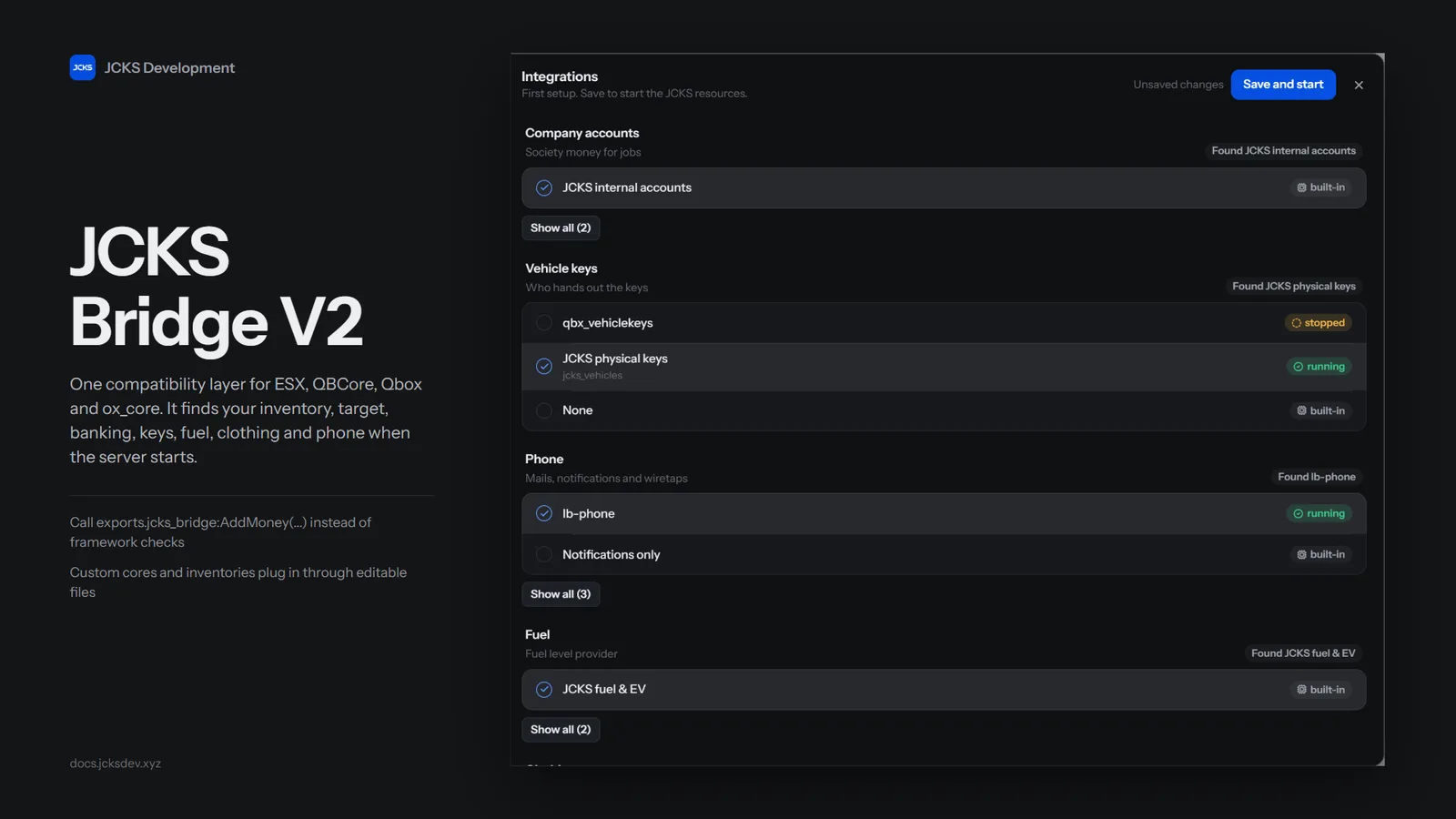
JCKS Bridge is the free resource between every JCKS script and the rest of your server. This page lists what 2.0.0 does, area by area, with a link to the page that has the options.
Detection
On start the bridge finds the framework, inventory, target, company accounts, vehicle keys, phone, MDT, fuel and clothing resource and prints one line with the result. JCKS scripts never call those resources directly, so switching one needs no change in any JCKS script.
- 5 frameworks: Qbox, ESX Legacy, QBCore, ox_core and standalone without a framework.
- 13 inventories: ox_inventory, qb-inventory, Codem Inventory AIO, Codem mInventory, tgiann-inventory, Quasar Inventory, ak47_inventory, jaksam_inventory, core_inventory, jpr-inventory, ps-inventory, lj-inventory, origen_inventory, plus the framework default inventory.
- 7 targets: JCKS interactions from jcks_lib, ox_target, tgiann-target, sleepless_interact, qb-target, qtarget, interact, or text prompts without one.
- 10 company account resources: Renewed-Banking, okokBanking, qs-banking, tgg-banking, wasabi_banking, fd_banking, snipe-banking, esx_addonaccount, qb-banking, qb-management, or the bridge's own account table.
- 15 vehicle key resources: qbx_vehiclekeys, qb-vehiclekeys, wasabi_carlock, MrNewbVehicleKeys, Renewed-Vehiclekeys, qs-vehiclekeys, vehicles_keys, VehicleKeyChain, ak47_vehiclekeys, mk_vehiclekeys, t1ger_keys, brutal_keys, cd_garage, okokGarage, jcks_vehicles.
- 15 phones: jcks_electronics, lb-phone, qs-smartphone-pro, qs-smartphone, sd-phone, yseries, gksphone, roadphone, okokPhone, 17mov_Phone, high-phone, jpr-phonesystem, npwd, ps-phone, qb-phone.
- 6 MDTs: jcks_jobs, ps-mdt, wasabi_mdt, lb-tablet, tk_mdt, piotreq_gpt.
- 10 fuel resources: ox_fuel, LegacyFuel, cdn-fuel, ps-fuel, lj-fuel, okokGasStation, lc_fuel, Renewed-Fuel, qs-fuelstations, rcore_fuel.
- 11 clothing resources: illenium-appearance, fivem-appearance, qb-clothing, esx_skin, rcore_clothing, tgiann-clothing, bl_appearance, qs-appearance, codem-clothing, 17mov_CharacterSystem, p_appearance.
- Two passes: the first started resource wins, then the first installed one, so a wrong start order still finds it. Qbox is checked before its qb-core layer.
- Any system can be forced in
/jcksor insettings/config.lua. - The limits of each inventory (metadata, stashes, player search) are known, and features that need them switch off cleanly.
- Jobs created by JCKS scripts are written into the framework's own storage, so other resources see them as normal jobs.
Details: Frameworks and systems.
Setup in game
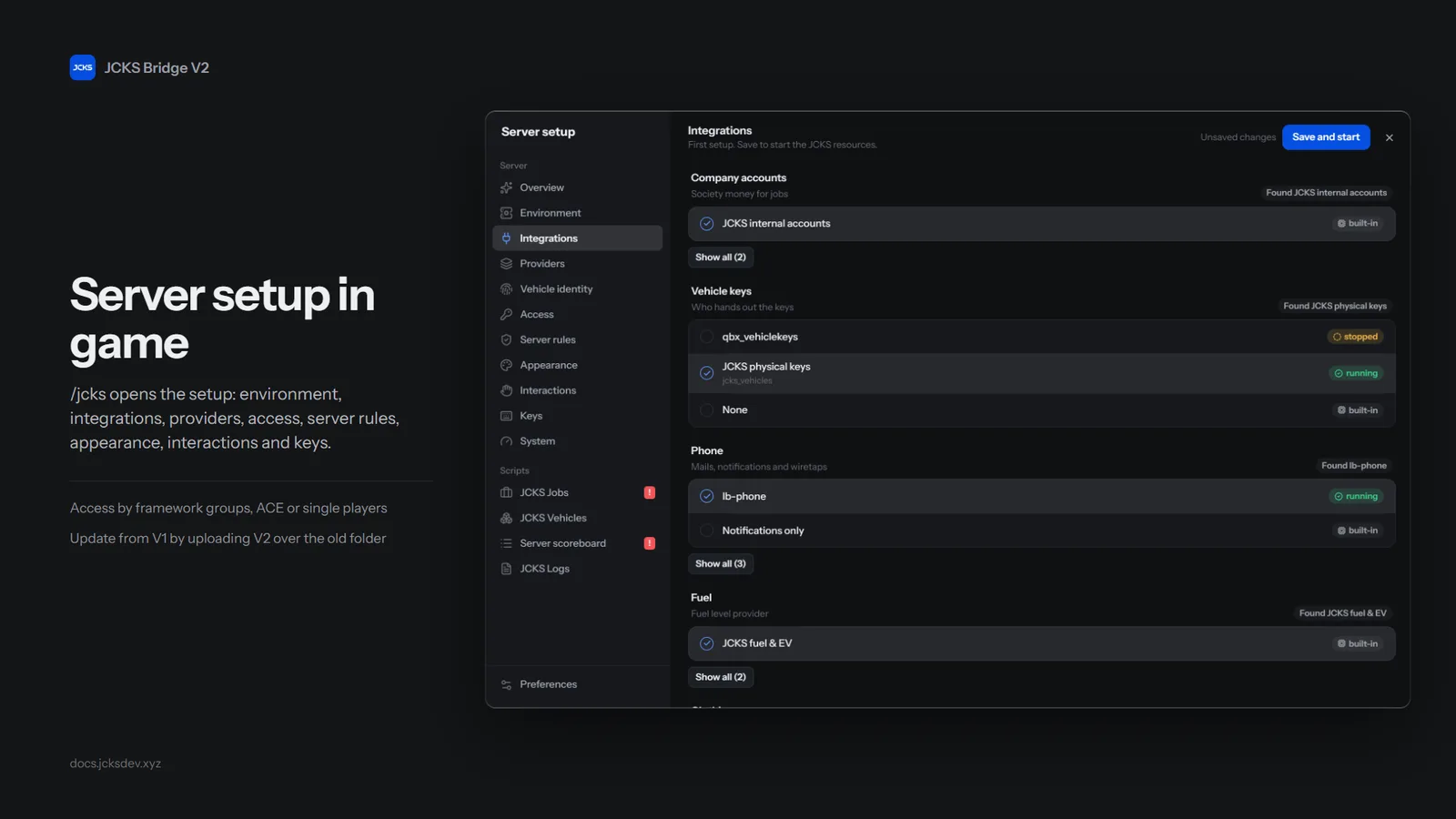
Everything is set in /jcks and saved in the database. settings/config.lua only holds the starting values for a fresh server.
- First setup with a six character code from the server console. Whoever saves the setup becomes the first admin, three wrong codes in a minute are refused and reported. JCKS scripts stay locked until the setup is saved.
- Overview with what is left to do: missing systems, scripts waiting for setup, updates, security reports of the last 24 hours, the merge report after an update.
- Environment and Integrations pages for every detected system.
- Server rules: unemployed job, language of game texts, security, debug output.
- Licences page with the licence settings and the licences of every player.
- More from config: every other value of
settings/config.luaand of jcks_lib, applied live. - Vehicle identity page when jcks_vehicles is installed.
- Keys page with every keybind of every JCKS script. The admin presses the new key, clashes are shown, the change reaches every player at once.
- System page with diagnostics, web panel link, update check, server information, log forwarding and security reports.
- History with saved revisions and restore.
- Scripts: one page per JCKS script or resource that registered settings, with a settings form, Open in script, Restart, first setup steps and access. A switch stops or starts the script.
- Version check of every JCKS resource after start and every 6 hours, shown in the console and in admin windows.
set jcks_version_check falseturns it off. /jcks,/jckssetupand/settingswhen no other resource uses that name.
Details: Configuration, Installation.
UI providers
The bridge decides what shows notifications, progress bars, skill checks and text prompts for every JCKS script.
- 4 kinds: notifications, progress, skill check, prompt, plus context menu, input dialog, confirm dialog and radial menu.
- Values jcks_lib, ox_lib, lation_ui, ESX, Qbox, QBCore, okokNotify and other notify, progress, skill check and prompt resources, or custom, depending on the kind.
- Automatic mode picks the first running provider, a chosen provider that stops falls back to the automatic choice.
- A different provider per script, for example jcks_jobs with the ox_lib skill check and ESX notifications.
- Custom provider through functions in
editable/client.lua. - Other resources register themselves as a provider with
RegisterProvider, they show in the list and disappear when the resource stops. - Default notification position, progress style and prompt position for the server, players change their own look in
/uisettings.
Details: UI providers.
Appearance and interactions
The bridge holds the shared look and the interaction settings that jcks_lib applies in every JCKS window.
- Themes: pick the default, create, edit, copy and delete up to 24 own themes, hide themes from players, a theme per script.
- Reduce motion, interface size from 90 to 120 %, window header with logo and name or name only, a custom logo URL.
- Player settings: allow or block picking a theme, the theme editor, importing theme codes, language, size, sounds and notification settings.
- Interactions page for JCKS interactions: mode (hold, always, look), input (keys or mouse), default reach and key hints.
Details: Themes, Interactions.
Access and permissions
One place decides who may open what in every JCKS script.
- Owners through the ACE
jcks.ownerorjcks.admin, the console is always an owner. - Admins by framework group, by identifier (licence, Discord ID and others), by ACE or through
Editable.IsAdminfor your own staff system. - Every permission of every script has a rule: admins, everyone, nobody or custom.
- Custom rules match framework groups (20), ACE permissions (20), specific players (50), Discord roles (20) and jobs with a minimum grade and optionally only on duty (20), with or without admins.
- Results are cached for 10 seconds per player.
- The admin flag and the list of permissions are published as server written state bags
jcks:adminandjcks:perms. - Other resources register their own permissions with
RegisterPermissionand check them withHasPermission. A permission belongs to the resource that registered it.
Details: Permissions and access.
Script settings
Any resource can put its settings into /jcks through jcks.settings of jcks_lib.
- The bridge builds a form from your fields: switches, whole numbers, numbers, text, choices, colours, keys and job lists.
- Guided first setup and a New in this version step for fields added in an update.
- Values are checked on the server on every save, one wrong value rejects the whole save.
- Fields marked for clients are published through a global state bag, the rest never leaves the server.
- Key fields connect to a keybind, so the admin changes the key for everyone.
- Access rules for the script on the same page.
Details: Script settings.
API for developers
One set of exports that works the same on every framework, inventory and banking resource. Every export runs in pcall, a failing resource returns nil and prints one line instead of breaking the caller.
- Players: identifier, name, job, offline job, duty, metadata, online players with job in one call.
- Money: balance, add and remove with checked amounts.
- Items and stashes: count, carry check, add, remove, metadata search, item labels and images, stashes per job or per character, player search, usable items.
- Company accounts: create, balance, deposit, withdraw, transaction history.
- Job definitions: import from the framework, create and update jobs and grades, move grades, reset offline holders, list employees, search characters.
- Native multijob on Qbox.
- Owned vehicles on ESX, QBCore, Qbox, ox_core and standalone: list, search, add, update, remove, plate generator and normalizer.
- Keys, notifications and clipboard.
- Licences with expiry, suspension and penalty points.
- Phone mails, notifications, phone numbers and wiretap records.
- MDT calls that go to the detected MDT, own MDT pages, tabs and search sources.
- Logging hub that forwards log lines to JCKS Logs under the calling resource.
- UUIDs and state bag helpers.
- Client exports for the same systems, progress, target and the UI providers.
Details: Exports and events.
Licences
A licence system shared by every JCKS script.
- 9 default types: car, motorcycle and truck driving licences, aircraft, boat, weapon, hunting, fishing and business, each with its own validity in days.
- Penalty points that suspend a licence at 12 points for 7 days by default.
- Police jobs on duty view licences within 15 m, everyone else shows their licence to someone next to them.
- On ESX: answers esx_license events and exports when esx_license does not run, mirrors licences into
user_licensesand imports existing rows once.
Details: Configuration, licences.
Company accounts and vehicles
- Company balances in your banking resource, or in
jcks_bridge_accountswithout one. - Every deposit and withdrawal in a transaction history.
- Answers esx_addonaccount and esx_society calls when those resources do not run.
- Vehicle identity for jcks_vehicles and the MDT: a permanent UUID per vehicle so plates can change, a VIN that police read and criminals scratch, and plate lookup for vehicles bought before JCKS.
- Standalone mode keeps character profiles, jobs and owned vehicles in its own tables.
Details: Configuration, Frameworks and systems.
Security
Every JCKS script reports suspicious actions to the bridge, which adds them up per player.
- Weighted reports: a player who collects 6 points inside 2 minutes is kicked, or only logged with the threshold at 0.
- Trap events that only cheats send, such as
jcks_bridge:server:addMoney, kick at once. - Integrity check that finds players who stopped a JCKS client script with a menu.
- Troll prop guard for 11 models mod menus spawn to grief players.
- Griefing guard for game network events: explosions per player, invisible explosions, script entity spam, clearing other players' tasks, removing all weapons of another player. Giving or removing one weapon of another player is only logged. Admins are never filtered.
- Protected state bags: a client write to duty, restraints, vehicle ownership, tow state or the car radio URL is reverted and reported.
- Setup callbacks are admin only and rate limited.
Security.onKickhands the player to your anticheat or ban system.
Details: Configuration, security.
Updates and V1
settings/,editable/anddefaults/folders. To update, upload everything exceptsettings/andeditable/, the console and/jckslist new settings, unused settings and missing editable functions.- V1 files are imported into the V2 folders once, files already changed in V2 are never overwritten.
- The V1 setup in the database is converted on the first start, a backup and a revision are saved, Import from V1 in History runs it again and shows conflicting values side by side.
Details: Installation, upgrading from V1.
Performance
- Detection runs once on start, not per call.
GetOnlinePlayersreturns every player with identifier, name and job in one call instead of an export per player.- Permission results are cached per player.
- Setup changes reach clients through the global state bag
jcks:setup, jcks_lib reacts to the change instead of asking the server.
What you need
| Resource | Notes |
|---|---|
| FiveM server 7290 or newer with OneSync | Checked by the manifest |
| oxmysql | Tables are created and migrated on start |
| jcks_lib | Starts before the bridge |
What is optional
| Resource | What it adds |
|---|---|
| A framework | Qbox, ESX Legacy, QBCore or ox_core. Without one the bridge runs standalone. |
| An inventory with stashes | Job stashes, lockers, player search and item metadata |
| A target resource | ox_target, tgiann-target, sleepless_interact, qb-target, qtarget or interact. Without one JCKS interactions or text prompts are used. |
| Banking, keys, phone, fuel, clothing | Each one from the lists above |
| ox_lib | One of the selectable UI providers, not required |
add_ace resource.jcks_bridge command allow |
Lets /jcks restart, stop and start JCKS scripts |